Responders on the Map
During an active emergency Responders-on-the-Map (ROM) shows firefighter location on an incident map, improving accountability and firefighter safety.
Responders on the Map and Firefighter Privacy
ROM shows firefighter location on the map in real time. It is available ONLY during an active incident and ONLY AFTER they have signaled intent to respond. Firefighters can choose when they appear on the map OR they can choose to opt out through their settings. Additionally, only firefighters who have been granted the appropriate permissions will be able to see the responders on the map.
How to Set Your Privacy Settings from the FireQ App
Firefighters have the following choices about how they appear:
-
They can opt out entirely.
-
They can decide when they appear on the map.
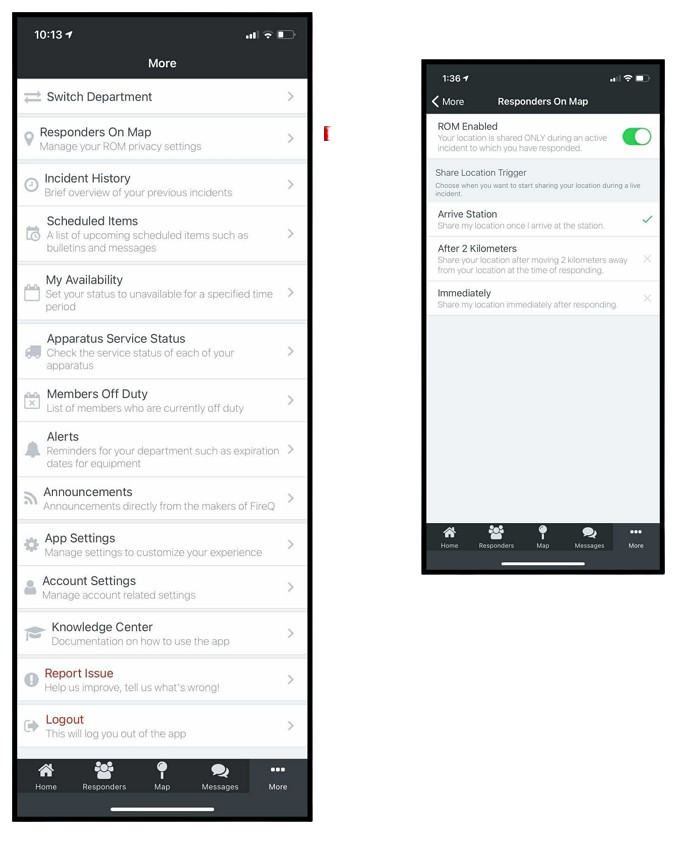
FireQ responders on the map smartphone settings
It is important to note that if you set yourself to be visible on the incident map, you are only visible to those who have been given permission within FireQ to see your location.
No responder on the map data is retained after the incident is closed by the fire department.
How to Set the Permission to View Responders on the Map
Navigate to the MEMBER MANAGEMENT tab and click the EDIT MEMBER button.

FireQ edit members button
Select the firefighter you want to be able to see the location of firefighters and click the EDIT button.
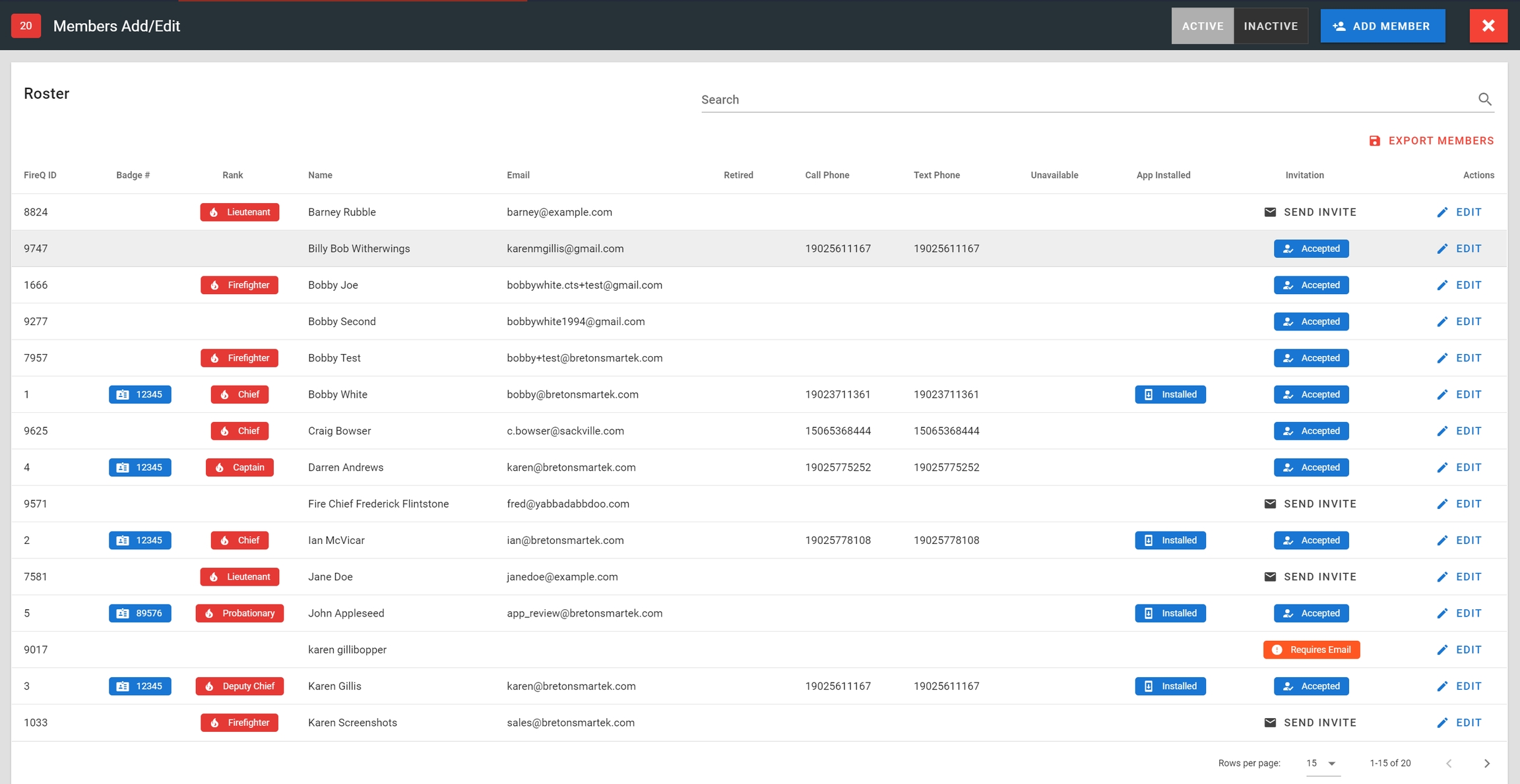
FireQ member list
From the member profile, click the PERMISSIONS button.
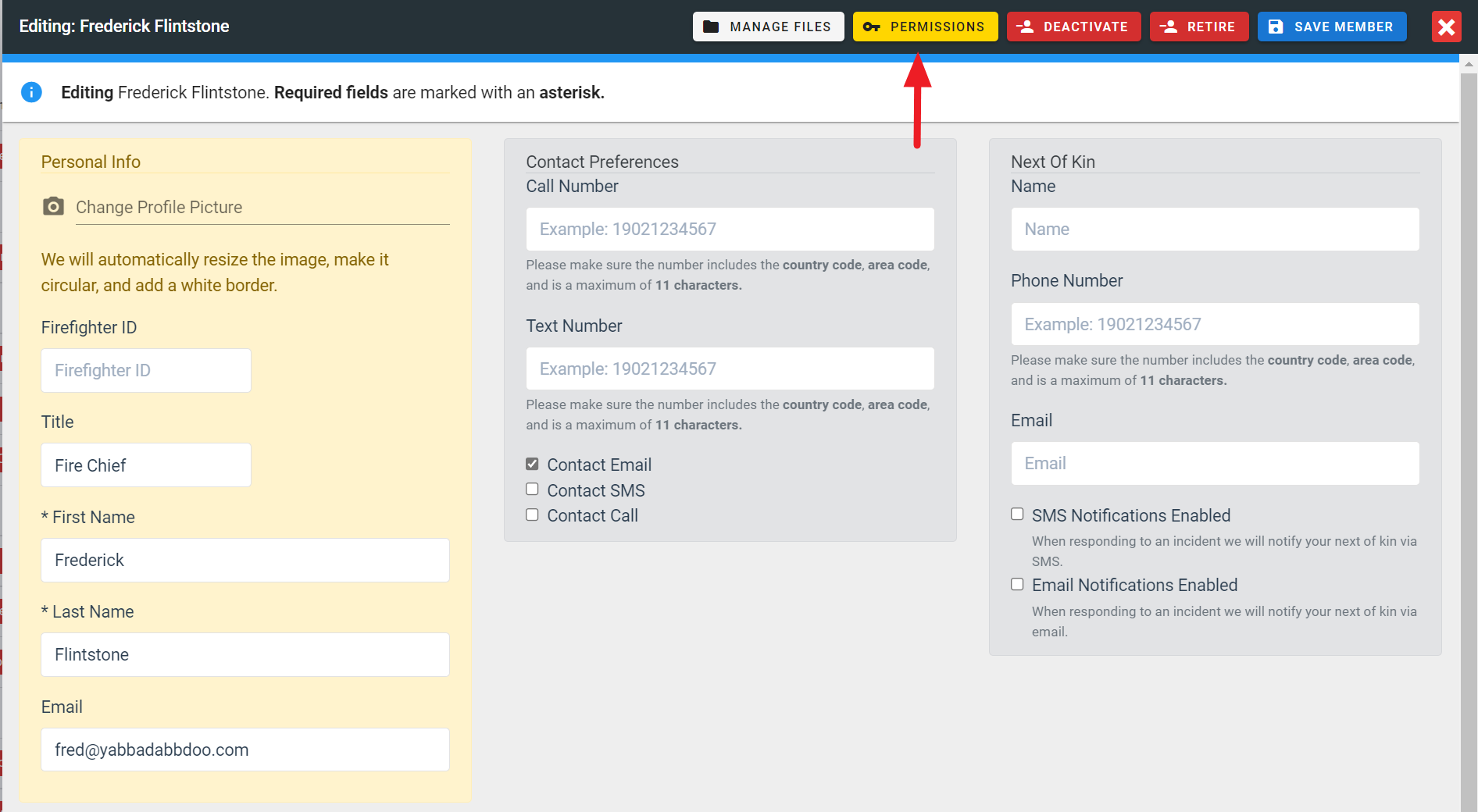
FireQ permissions button location
To allow that member to see firefighters on the incident map, place a checkmark in the box next to the "view responders on the map" permission.

FireQ view responders on the map permission