Internal and Provincial Incident Reports
There are two types of incident reports available in FireQ for many fire departments - an internal report and the provincial report.
Internal FireQ Incident Report
The internal FireQ incident report collects the most common types of data captured in a fire incident report. Firefighters hours are calculated from data contained within the internal FireQ report. Dispatch data and firefighters who responded using FireQ are automatically added to the internal FireQ incident report.
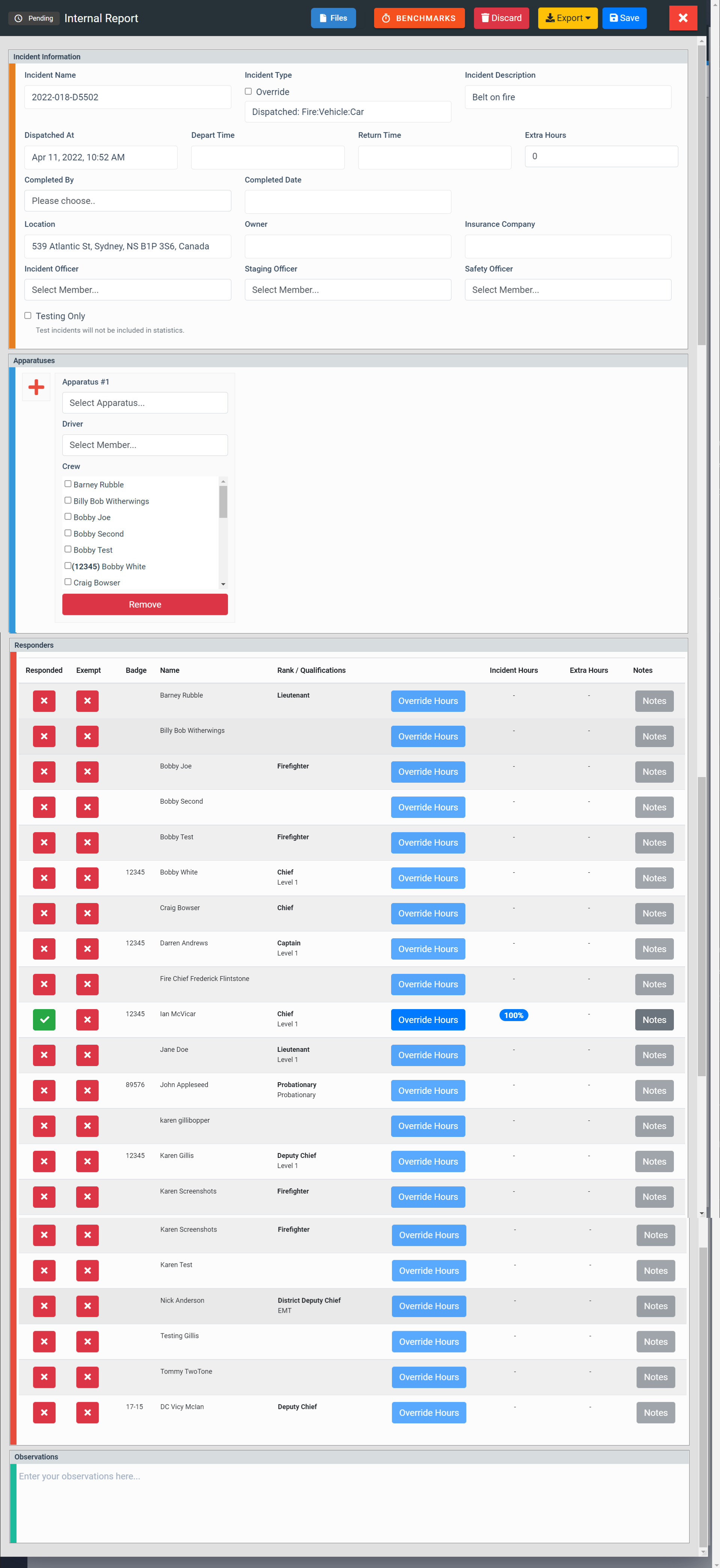
FireQ Internal Incident Report
How to Add / Remove Firefighters to the Internal Incident Report
To add or remove a firefighter to the internal report, navigate to the incident log and select the desired report.
LOGS & REPORT > INCIDENT LOG
In the responders block of the incident report, find the firefighters name you want to add. Click the "X" to add the firefighter to the report. Click the checkmark to remove a firefighter from the report.
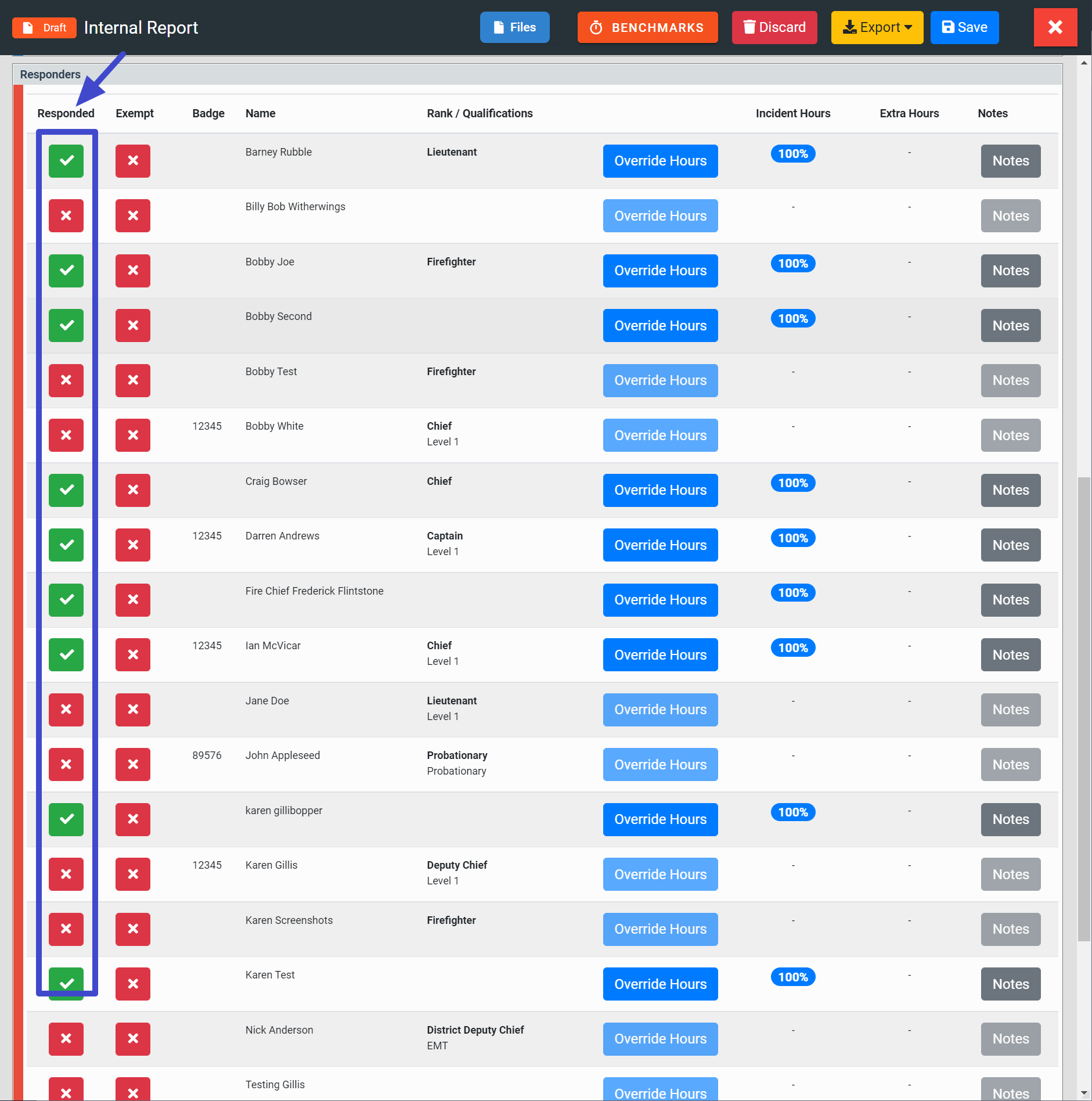
Add or Remove a Firefighter from the Internal Report
How to Exempt a Firefighter from an Incident
Firefighter hours are calculated using data from the incident report and comparing that data to the total number of incidents for the fire department. Firefighters who cannot respond due to injury (or other valid reason) would then have lower participation ranks.
To exempt a firefighter from a specific incident, click the EXEMPT button.
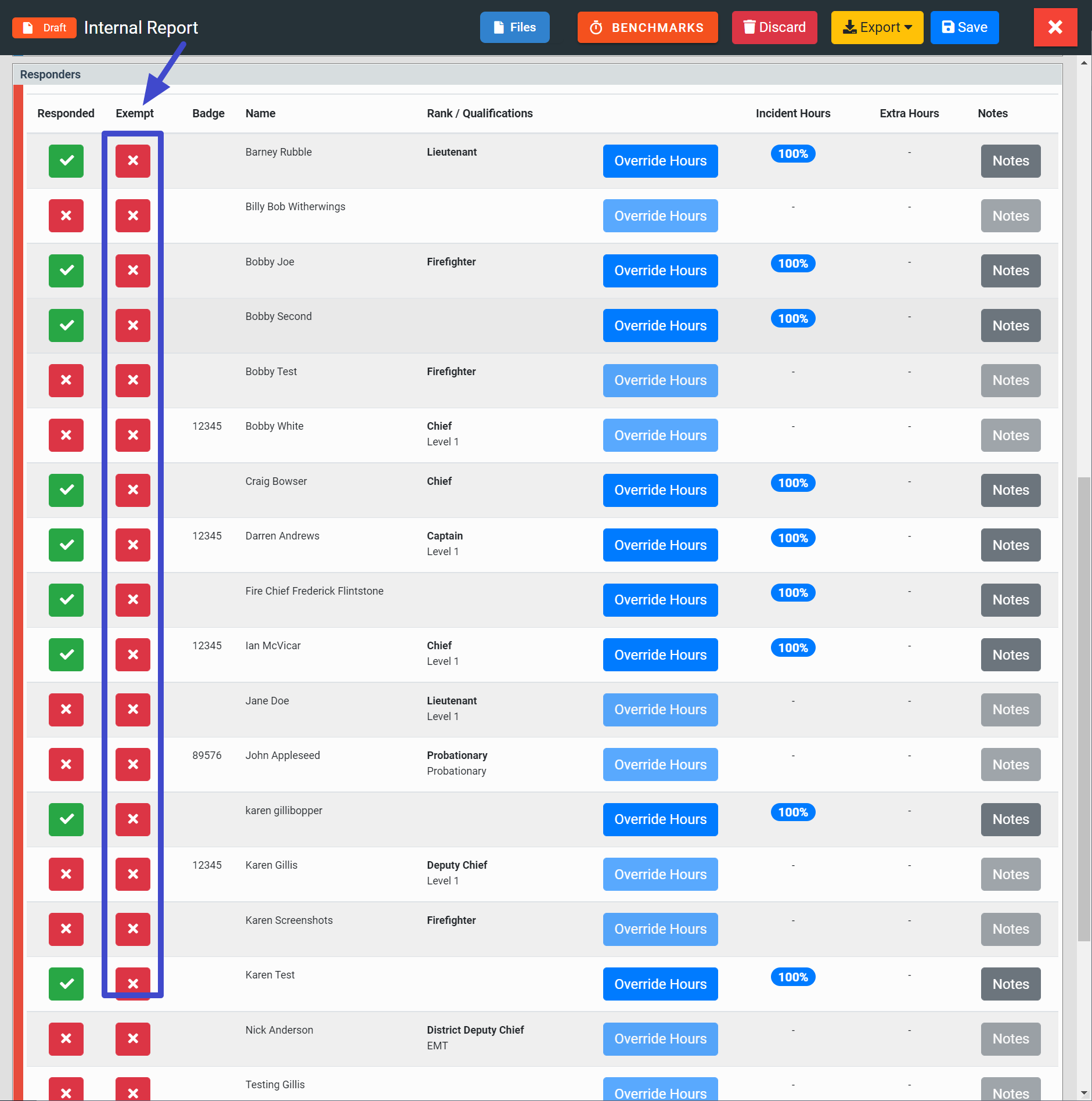
Exempt a Firefighter from the Internal Report
Provincial Incident Report
If FireQ does not currently support your provincial template, please contact us to find out how it may be included.