Pending Reports
Pending Reports are a list of reports that have been created but are not yet finished.
Completing a Pending Report
Navigate to the FireQ tab and click the PENDING REPORTS button.

FireQ Pending Reports
From the list of pending reports, select the report you want to complete and click the OPEN button.
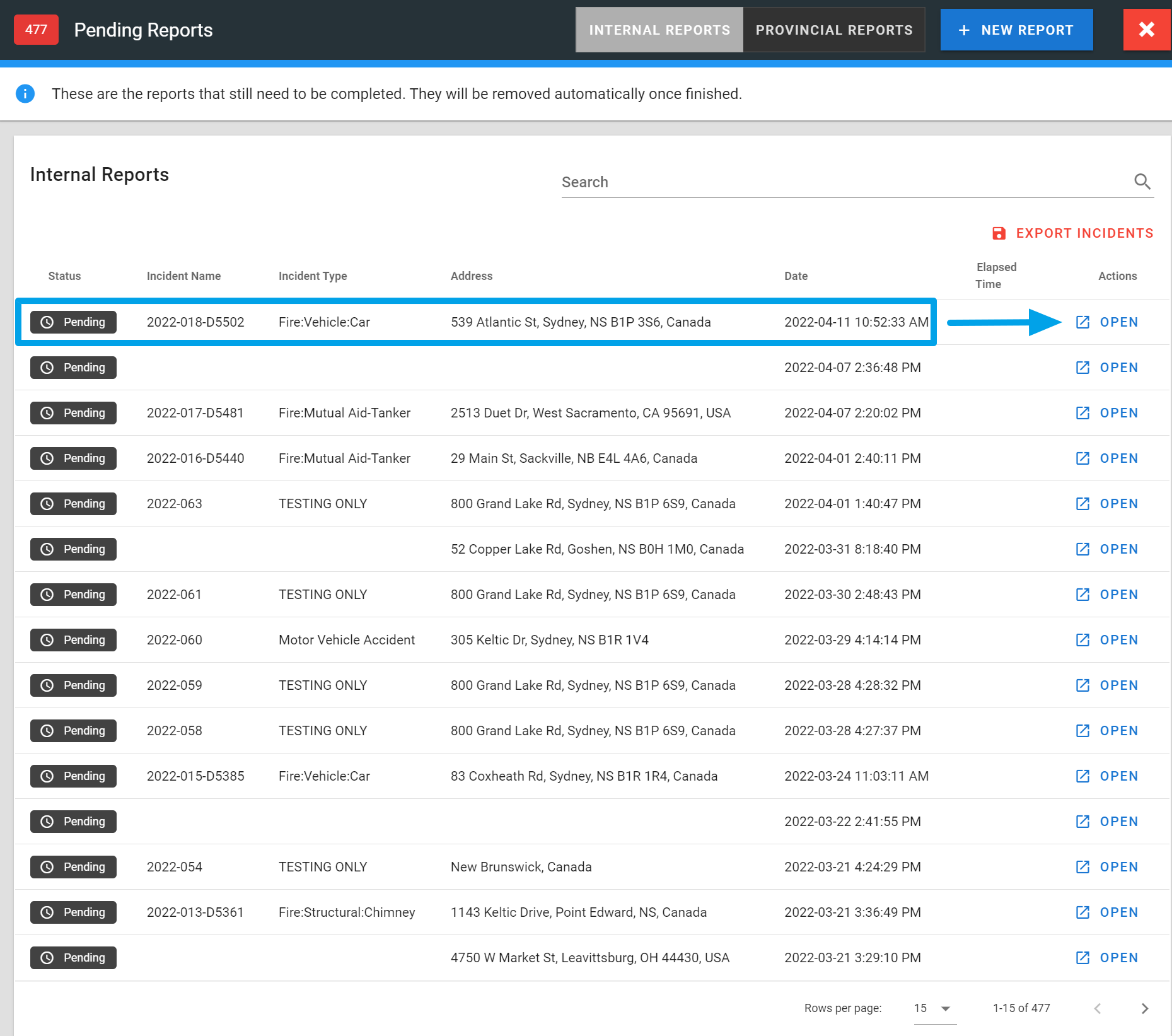
FireQ Pending Reports List
Dispatch information and responders (who used FireQ to respond) are automatically added to internal incident reports. Add any additional information you wish to include.
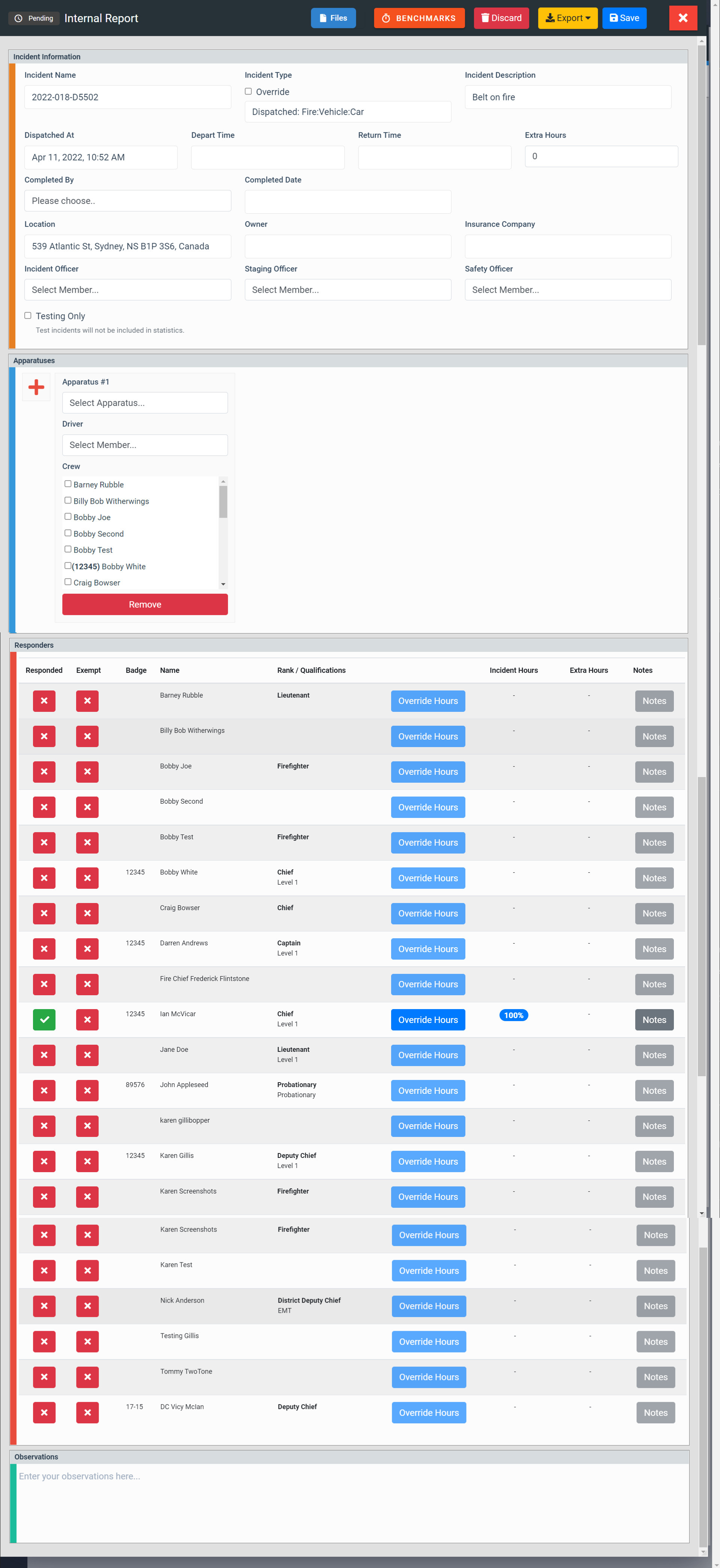
FireQ Internal Incident Report
Click the SAVE button. You will see an option to SAVE AND FINALIZE or SAVE DRAFT.
When you select SAVE AND FINALIZE, the report is removed from the pending reports list. You can still edit it, however, if necessary.
When you select SAVE DRAFT, the report remains in your pending reports list as a reminder that it is still to be completed.
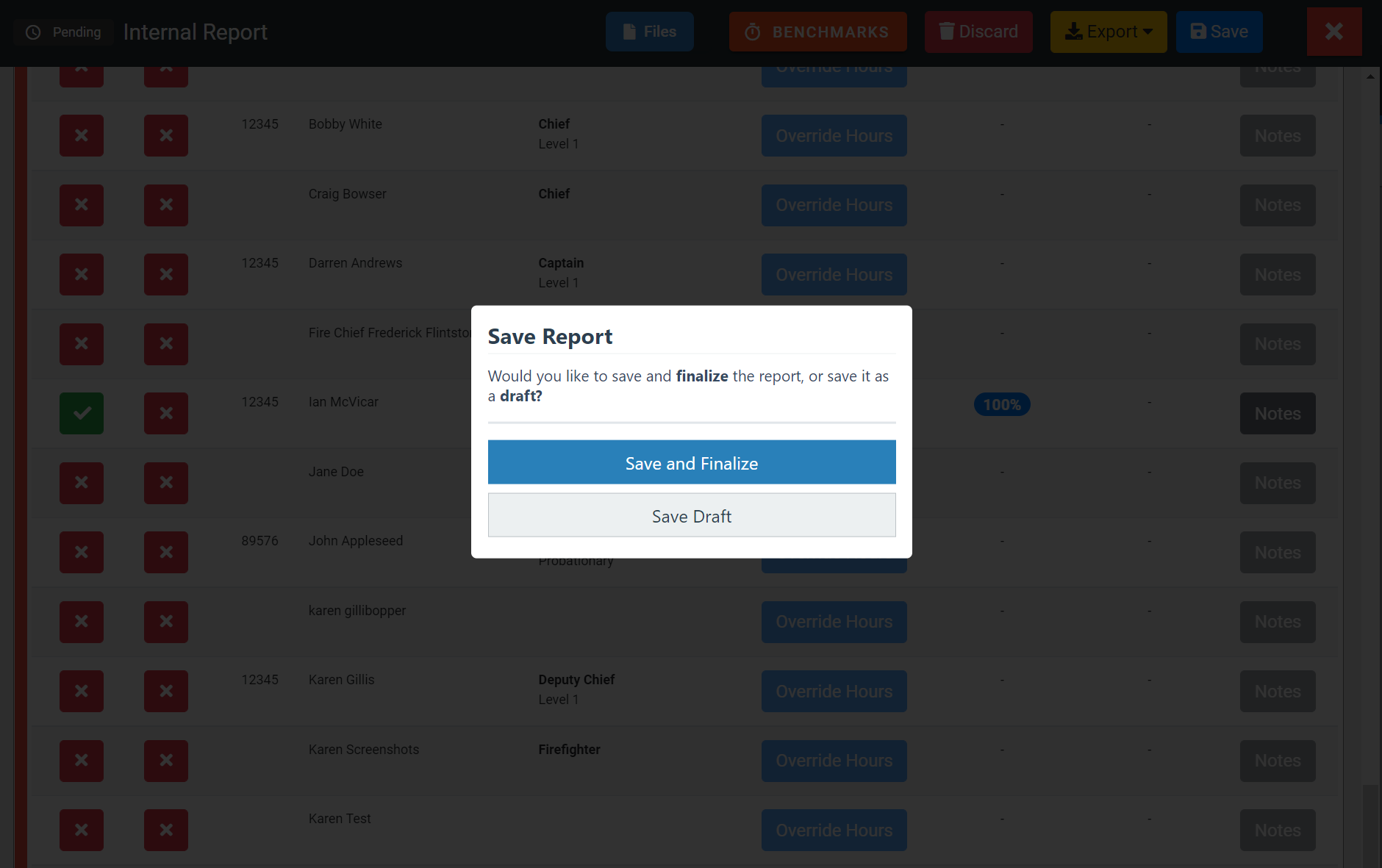
FireQ Save Incident Report
FireQ Pending Reports