Mapping During a Live Incident
During an active incident, you can access a significant amount of information from the app. This information includes:
-
Incident location with driving directions
-
Safety pre-plans
-
Assets and hazards
-
Choice of map types
-
Multiple map layers
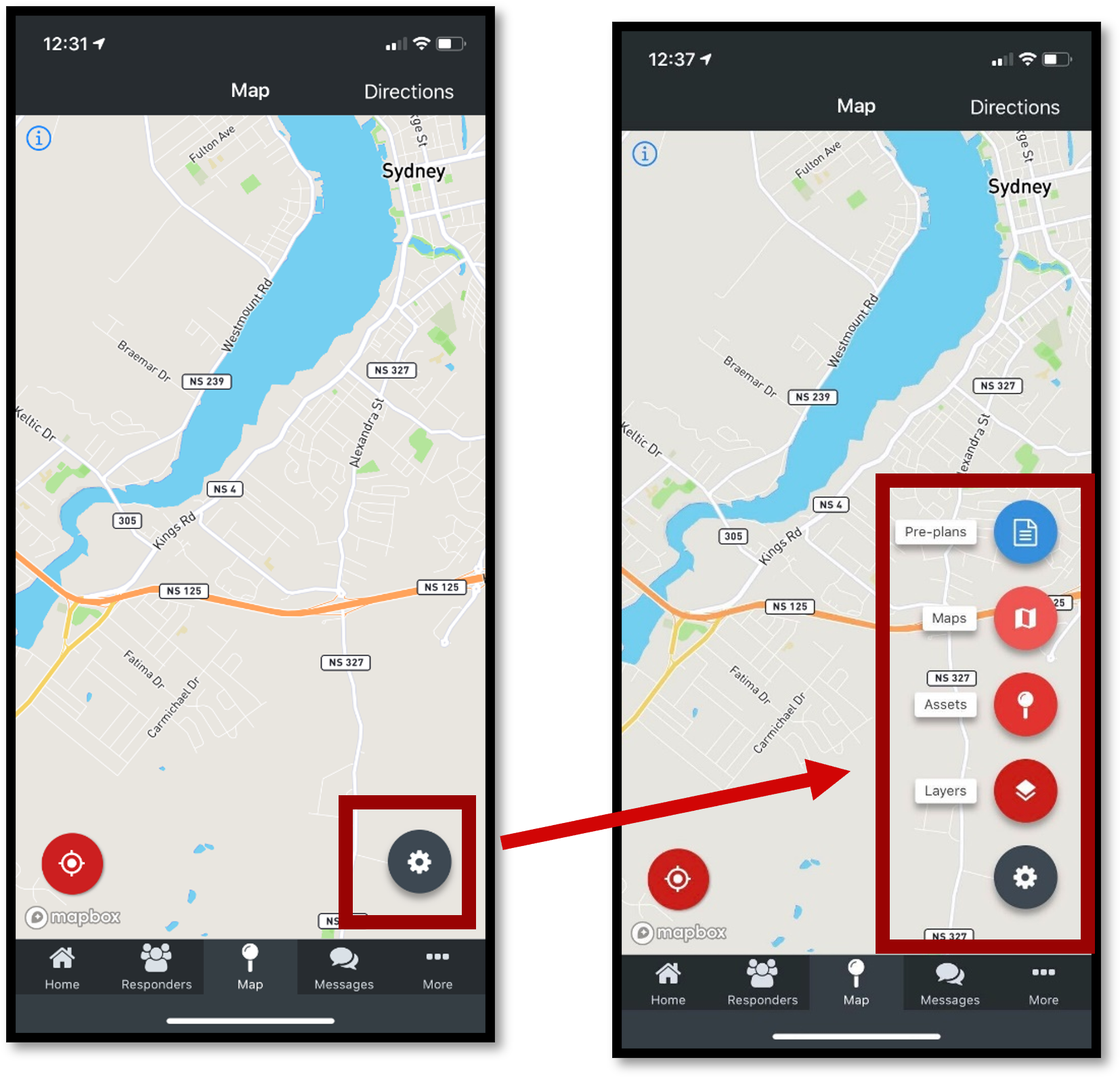
FireQ app mapping options
Incident Location with Driving Directions
To access driving directions during a live incident, tap the MAP icon.
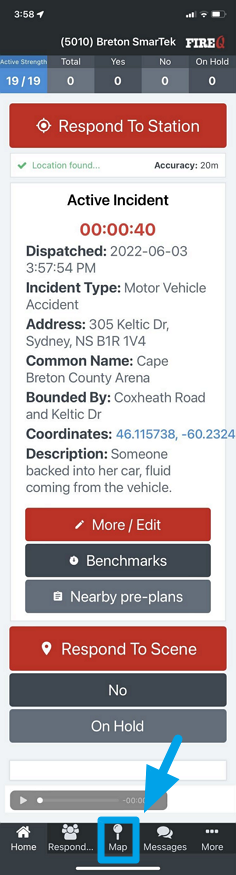
FireQ active incident map navigation
Tap the DIRECTIONS button in the upper right corner.
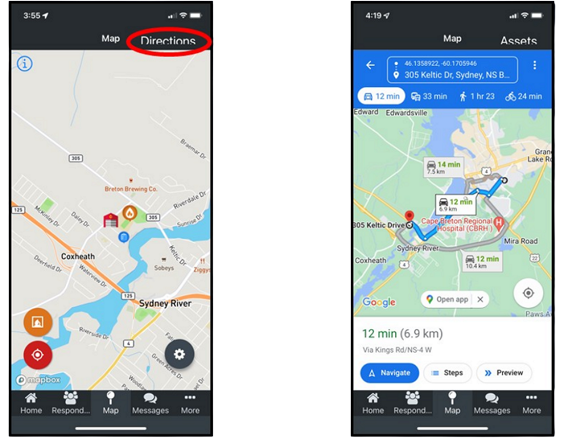
FireQ mapping driving directions
You can quickly center the map to your location by tapping the orange button and you can center the map to the location of the fire station by tapping the red button.
Safety Pre-plans
Safety pre-plans are visible from the FireQ app.