How to Close an Incident from the App
The details of an active incident are visible from the HOME screen of the app. Tap the MORE/EDIT button.
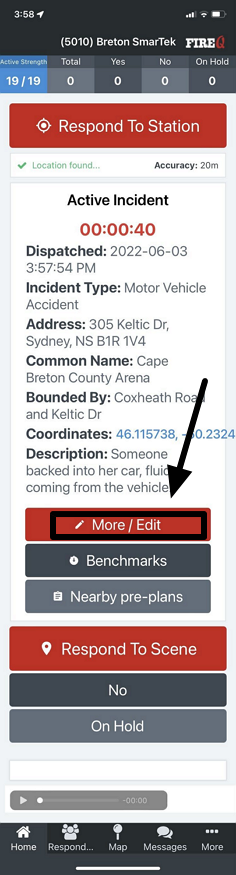
FireQ active incident more/edit button
Tap the MORE/EDIT button and tap the CLOSE INCIDENT button.
The details of an active incident are visible from the HOME screen of the app. Tap the MORE/EDIT button.
FireQ active incident more/edit button
Tap the MORE/EDIT button and tap the CLOSE INCIDENT button.