Adding Equipment to FireQ
To add a piece of equipment to FireQ, navigate to the LOGS & REPORTS tab and click the EQUIPMENT LOG button.

FireQ equipment log toolbar location
Click the ADD EQUIPMENT button.
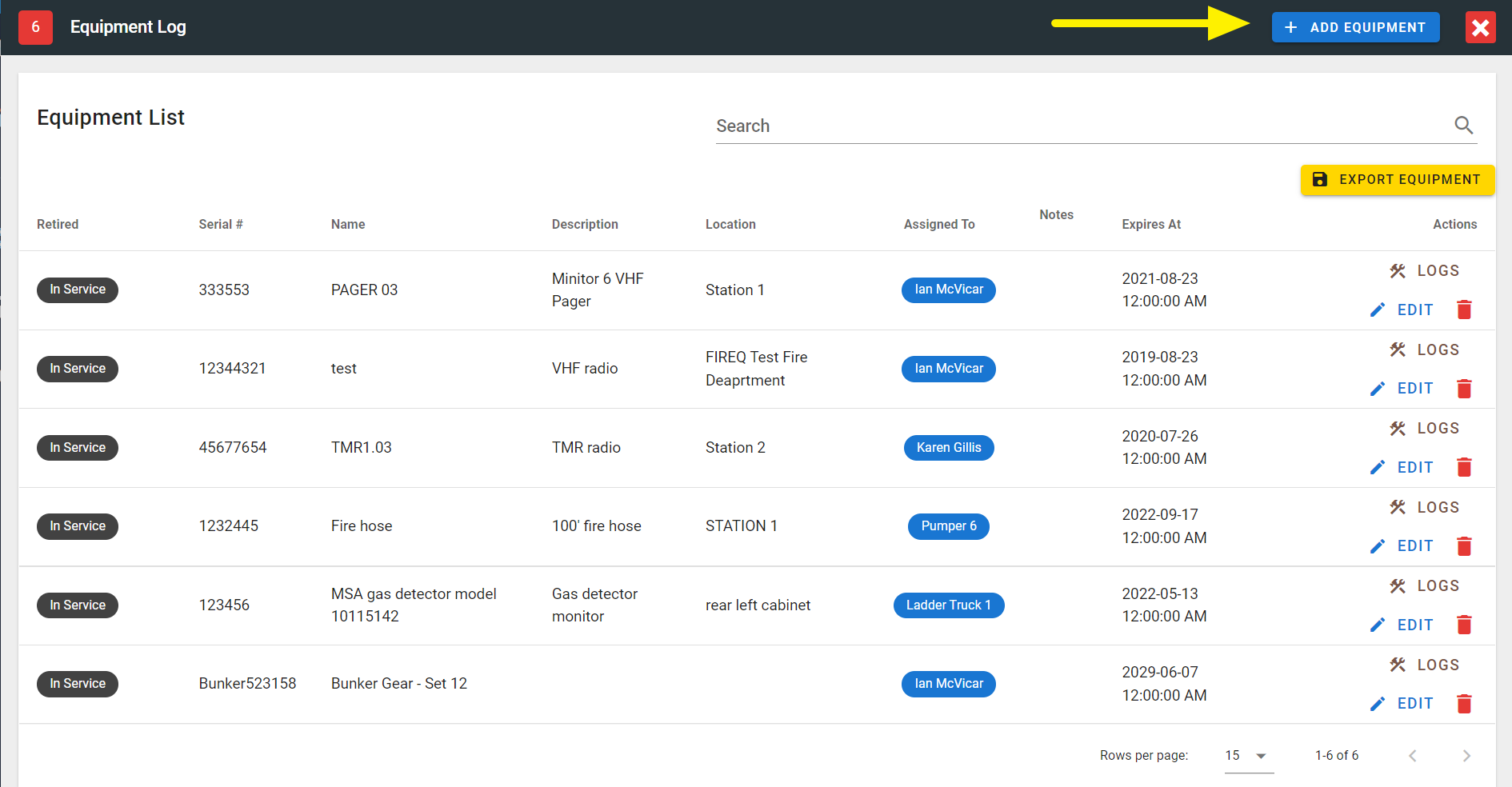
FireQ add equipment button
You can track the following types of information:
-
Purchase information - this includes purchase date and price, as well as any warranty and vendor information.
-
Assignment - you can assign the equipment to the station; to a particular apparatus; or to a member. Equipment assigned to members also appear in the member statistics.
-
Equipment information - this includes serial number, name, description and expiry date. If an expiry date is entered, you will receive an in-app reminder 30 days prior to expiration.
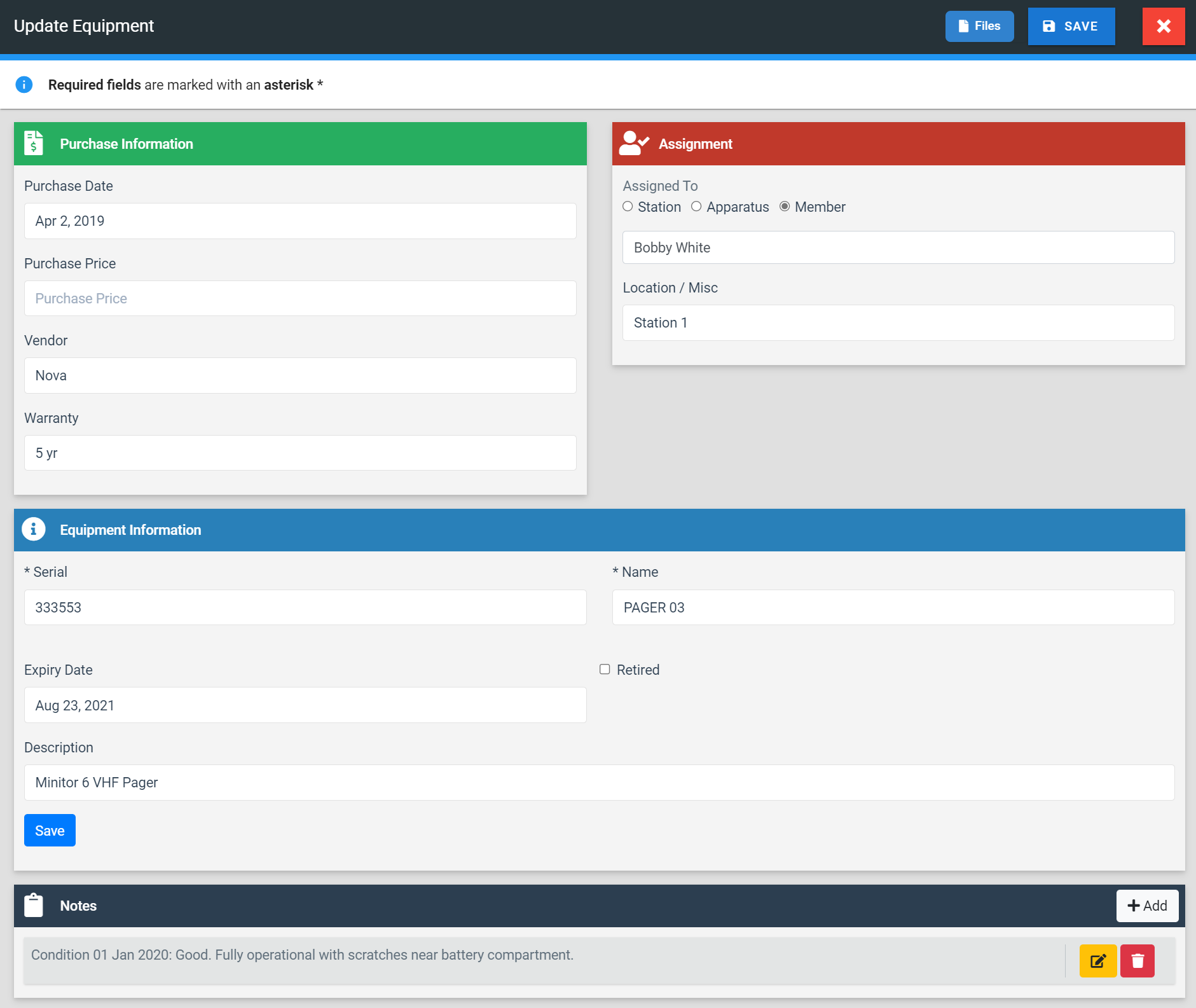
FireQ add equipment
Click the SAVE button to save your entry.
In-app alerts are sent to firefighters with a rank of Captain and above. Click here to see where to set firefighter rank.