Member Availability
You can use FireQ to track the availability of firefighters in your fire department. Using the software or the app, firefighters can set themselves as unavailable with a start and end date.
To set member availability in the FireQ software, click the MEMBER AVAILABILITY button.

FireQ member availability toolbar
From the available drop-down list, select the member whose availability you wish to edit.
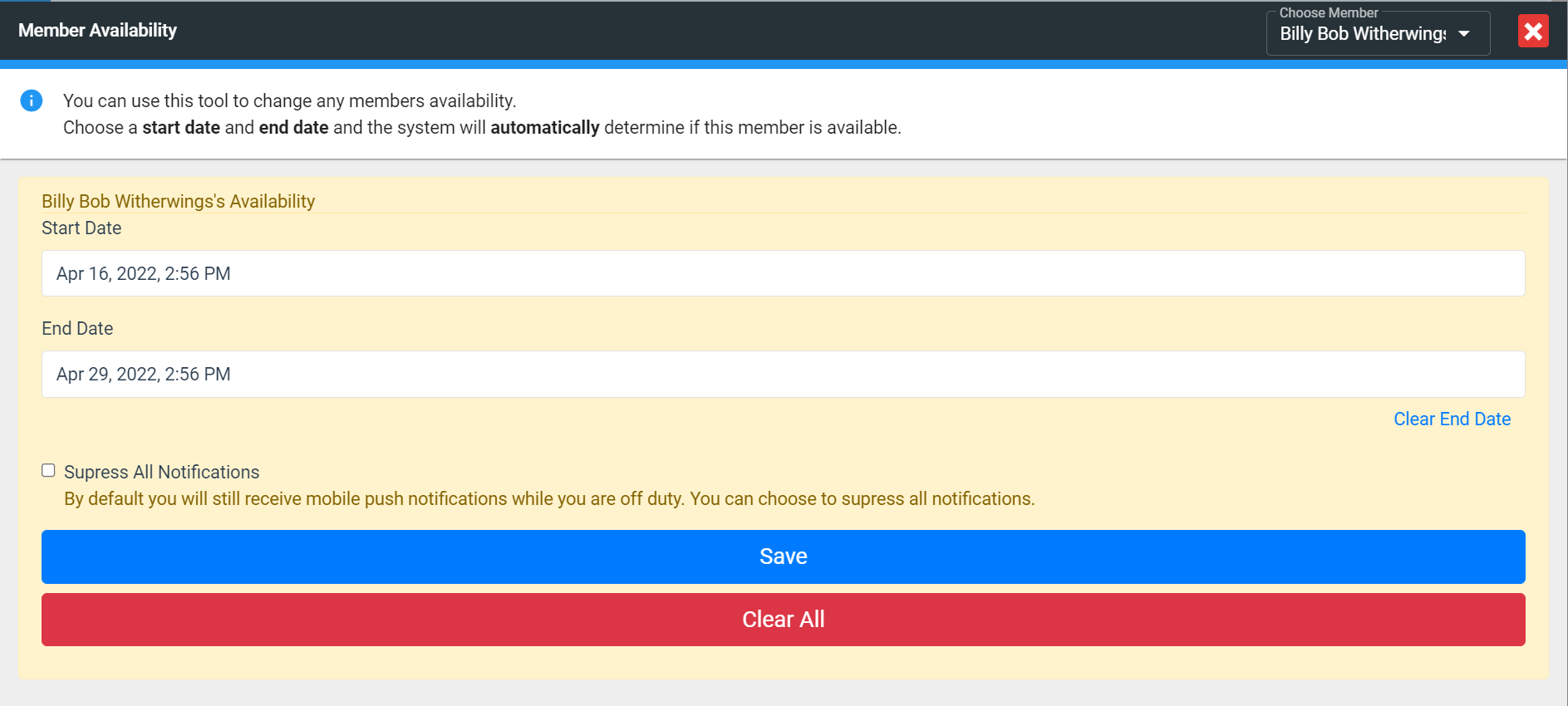
FireQ set member availability
Enter the start date of when the firefighter will not be available and the date of their return. If the firefighter does not wish to receive any notifications at all while they are away, place a check mark next to Suppress All Notifications. If this box is not checked, firefighters will receive a push notification and an email, but they will not receive a text or a phone call.
Click the SAVE button to retain your settings.