Member Statistics
Member statistics pulls all firefighter activity within FireQ and puts in one place for easy access and viewing.
The member statistics feature of your FireQ system places all information about the firefighter participation in one place so it is easily accessed. For each firefighter, member statistics lets you see:
-
Personal information and contact details
-
Incident response hours
-
Training hours
-
Other fire department activity hours
-
Certificates held
-
Equipment issued
-
Service awards
Member statistics are populated with information captured in the incident, training, certificates, and activities logs.
To see an overview of the participation of any firefighter, navigate to the MEMBER MANAGEMENT tab and click the MEMBER STATISTICS button.

FireQ member statistics navigation
From the drop-down menus, select the member and date range for the statistics you want to see and click the APPLY FILTERS button.
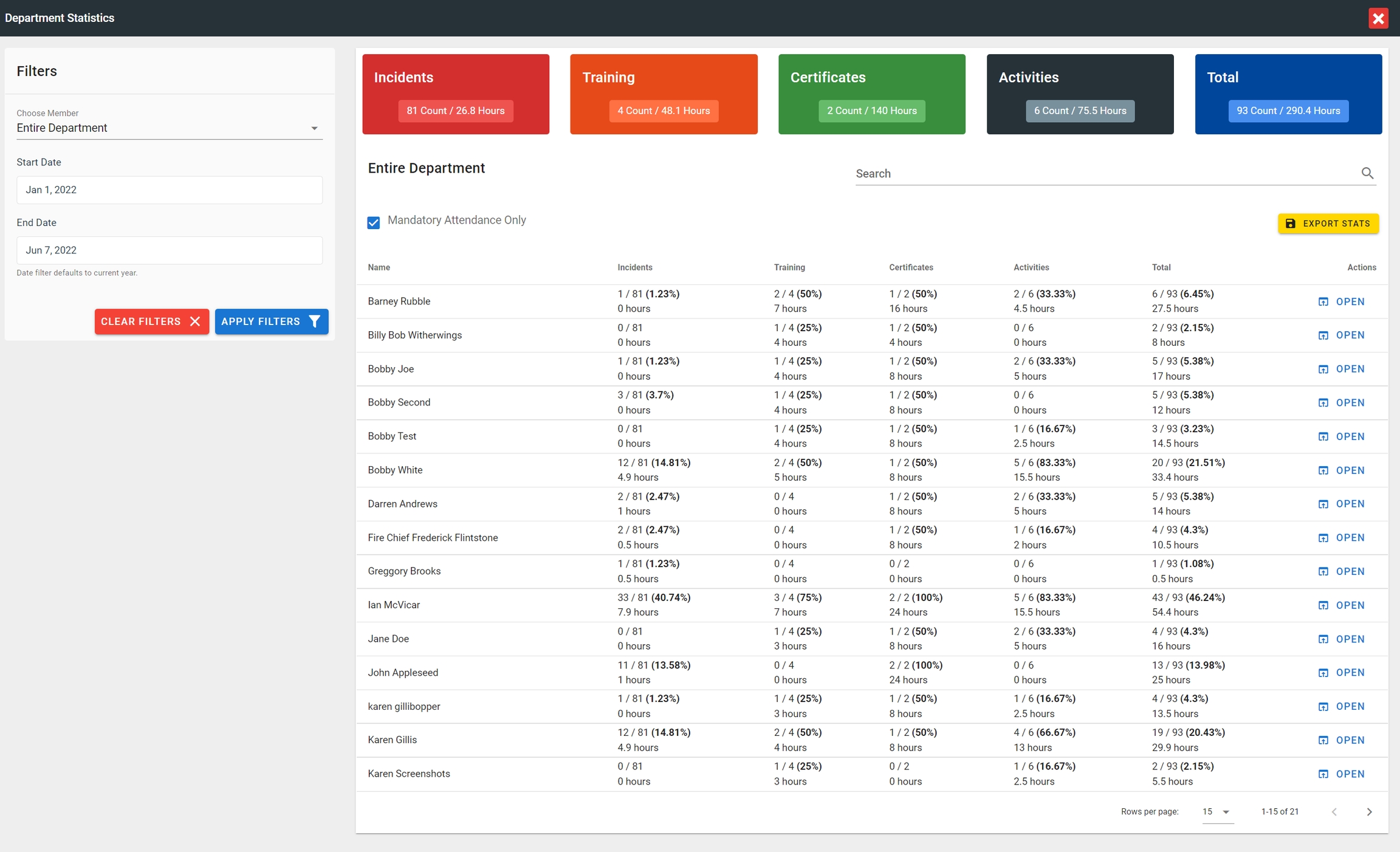
FireQ member statistics department view
The selected firefighter profile opens to the overview page. This overview lets you see, at a glance, several different categories of service the firefighter has given to your fire department:
-
Firefighter personnel information that includes availability, name, rank, qualifications, badge number, department enrollment date, the number of service awards and contact information.
-
Participation records that detail the total number of service hours dedicated to the fire department and overall participation average for the selected year.
-
Incident records that provide the total number of incidents attended by that firefighter for the selected year, including the total number of incidents for the fire department. The information is displayed with total hours as well as a percentage of participation. 4.Training records that detail the total number of trainings attended by that firefighter for the selected year, including the total number of trainings held by the fire department in that year. The information is displayed with total hours as well as a percentage of participation.
-
Certificate records that detail how many certificates are held by the firefighter, as well as how many certificate courses were offered by the fire department in the selected year. The information is displayed with total hours as well as a percentage of participation.
-
Activities records that detail how many other types of activities were attended by the firefighter. These activities could include such things as work parties and fundraising events. The information is displayed with total hours as well as a percentage of participation.
-
Equipment records let you see what pieces of equipment have been issued to the firefighter in the selected year.
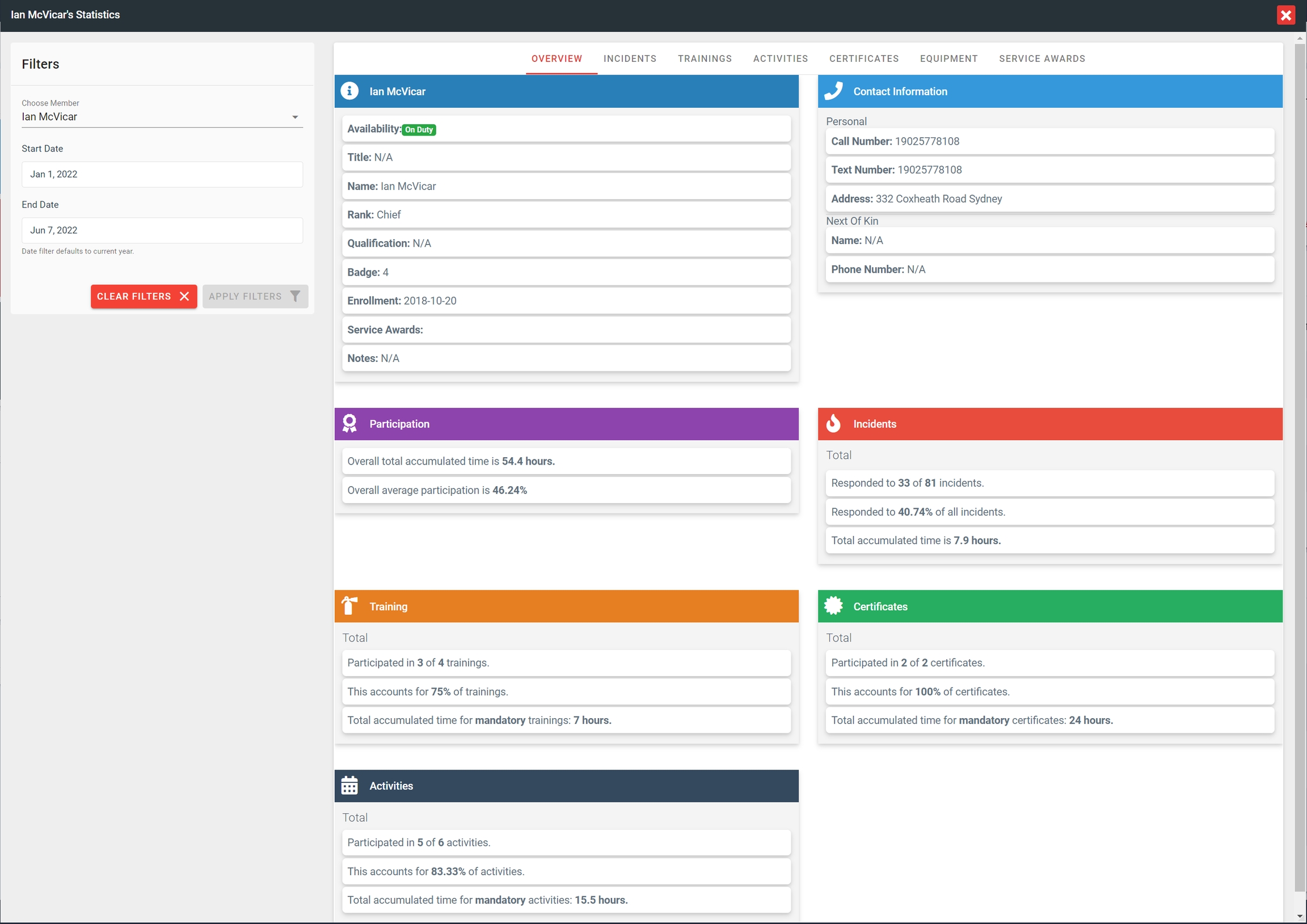
FireQ member statistics
It is also possible to view each of these categories in greater detail. To see more detailed information about you can see in the overview, click the appropriate tab.
It is important to remember that incident hours are only calculated for incident reports that have been "SAVED & FINALIZED".