Adding a Training to FireQ
Tracking training and training attendance with FireQ is easy.
To add a new training to FireQ, navigate to the LOGS & REPORTS tab and click the TRAINING LOG button.

FireQ training toolbar navigation
Click the ADD TRAINING button.
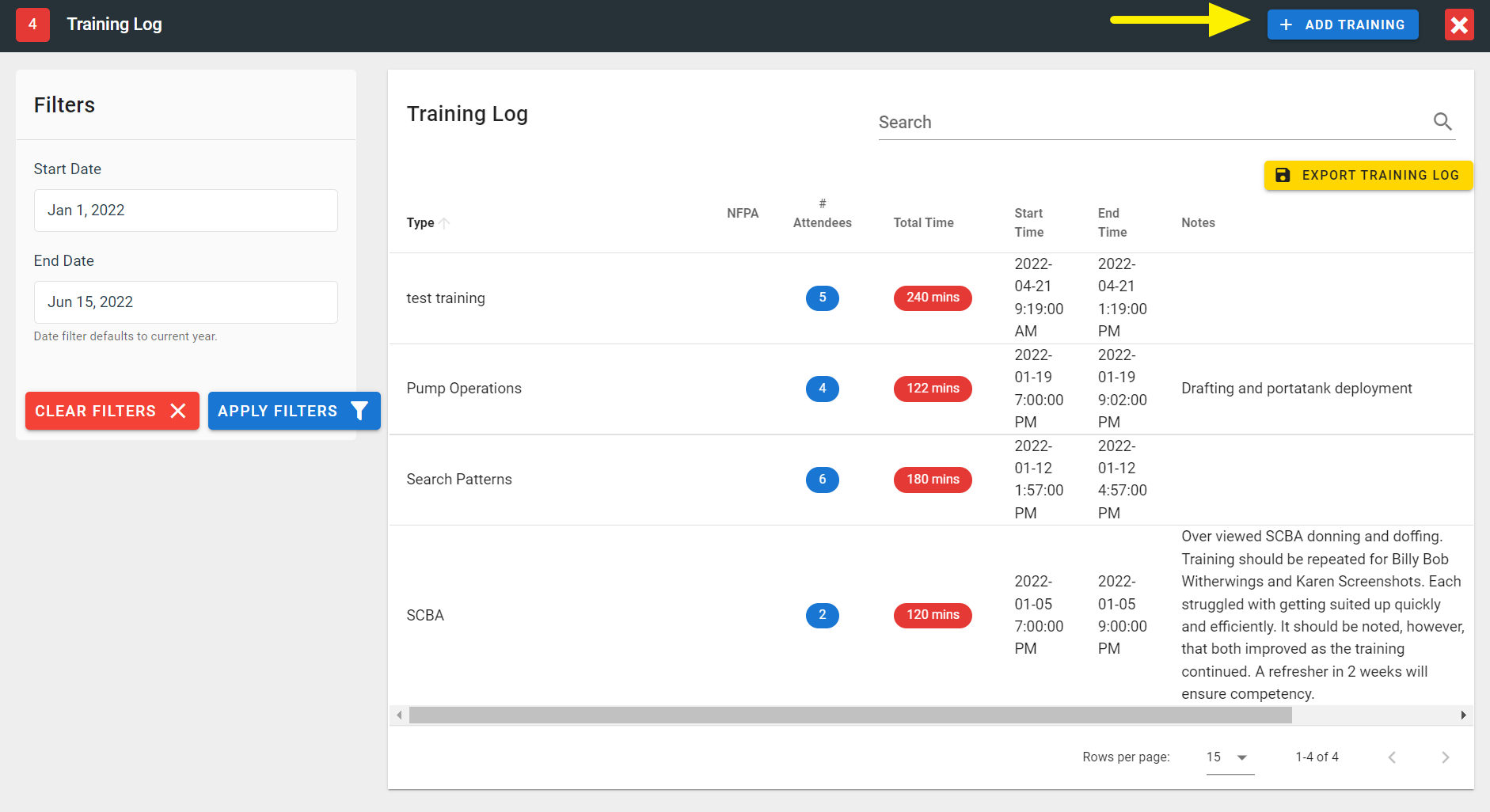
FireQ add a training button
Enter the training details and click the SAVE button.
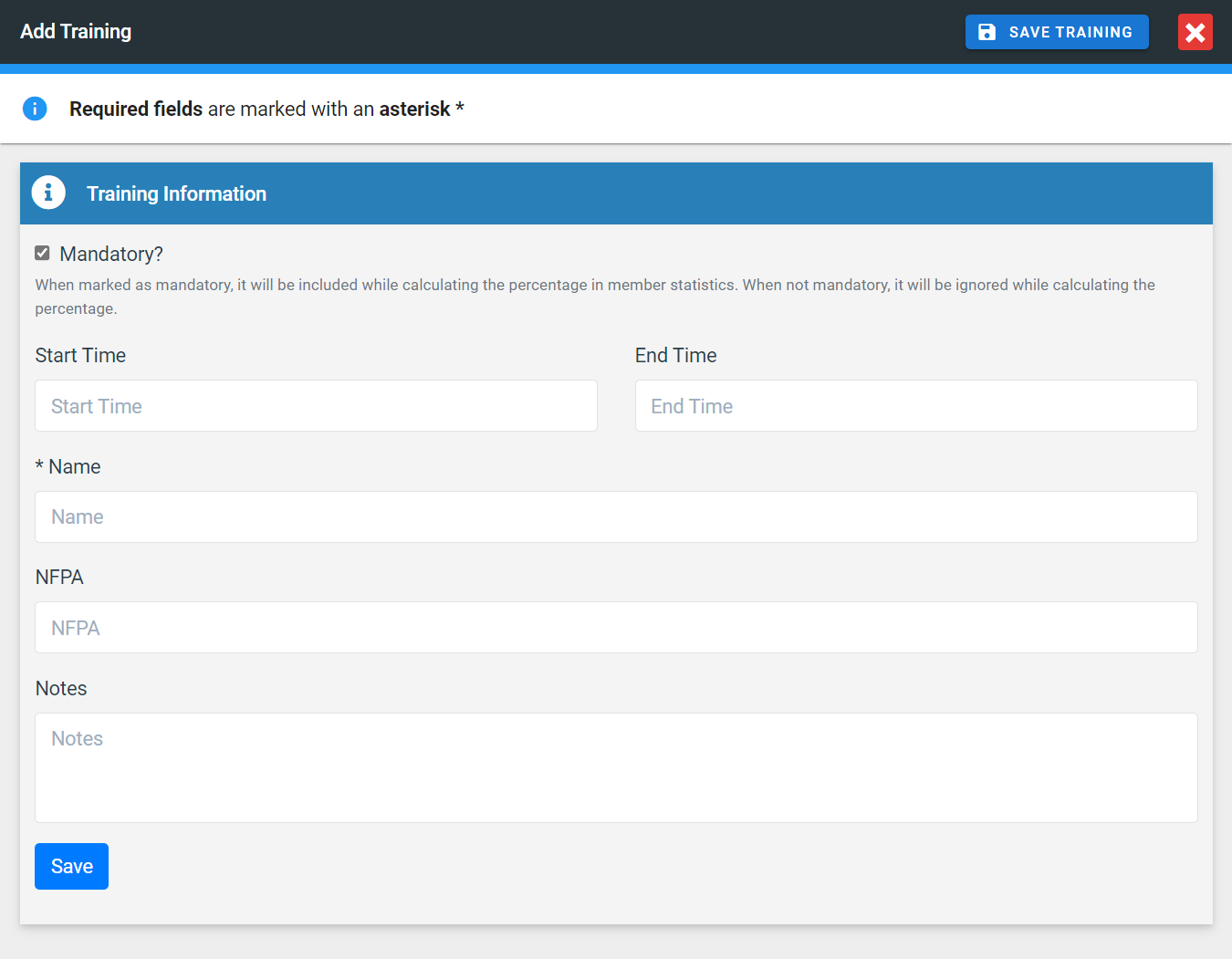
FireQ add training
Only trainings marked as MANDATORY are used in the calculation of training percentages displayed in member statistics.