Search Training Logs by Date
To search training logs by date, click in the "start date" box to bring up the date picker and select the start date of the records you want to see. Enter the start and end dates and click the APPLY FILTERS button.
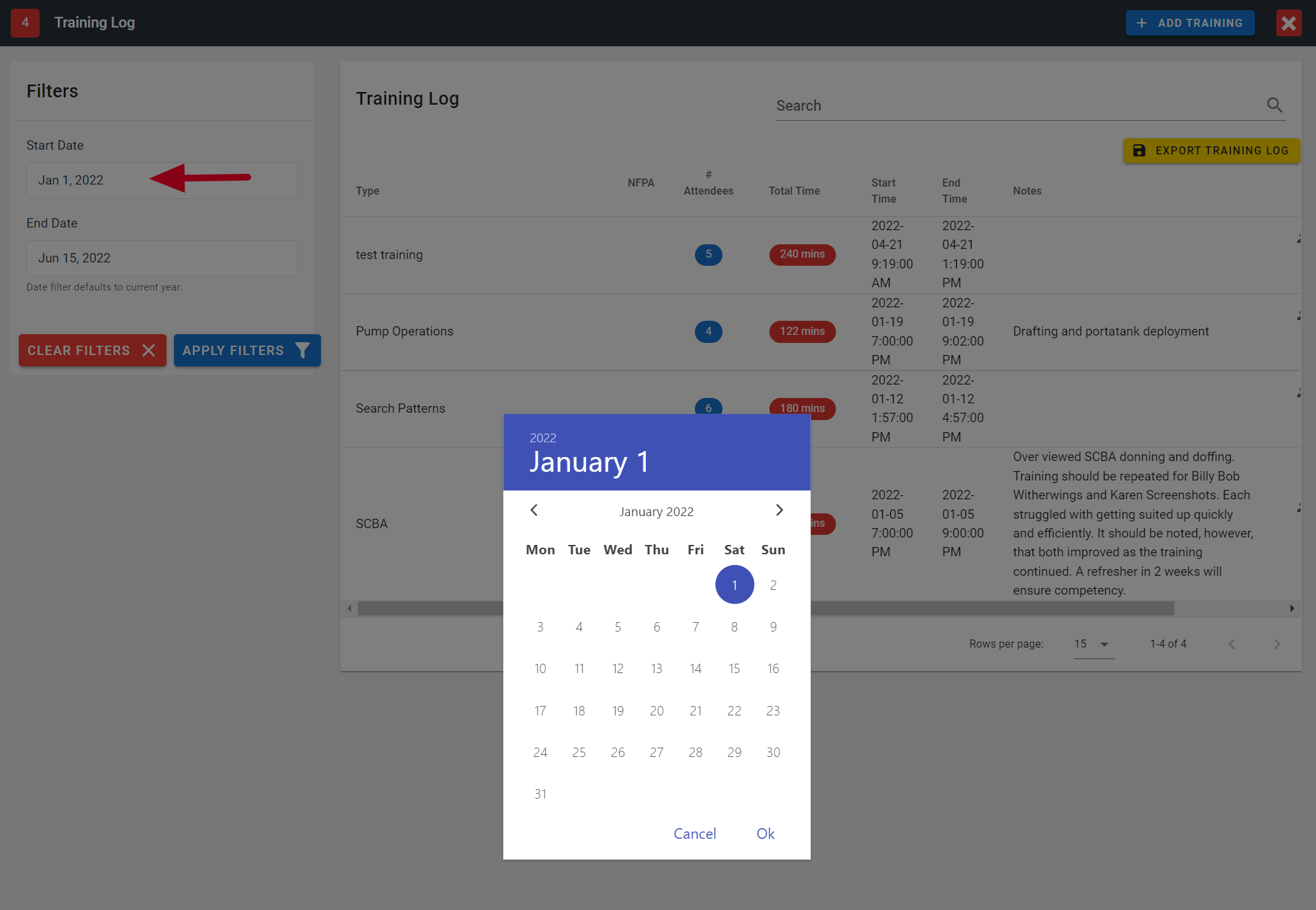
FireQ training logs date picker
Date-picker Tip
If you click on the year, a list of years from you can choose appears. Select the desired year and click OK.
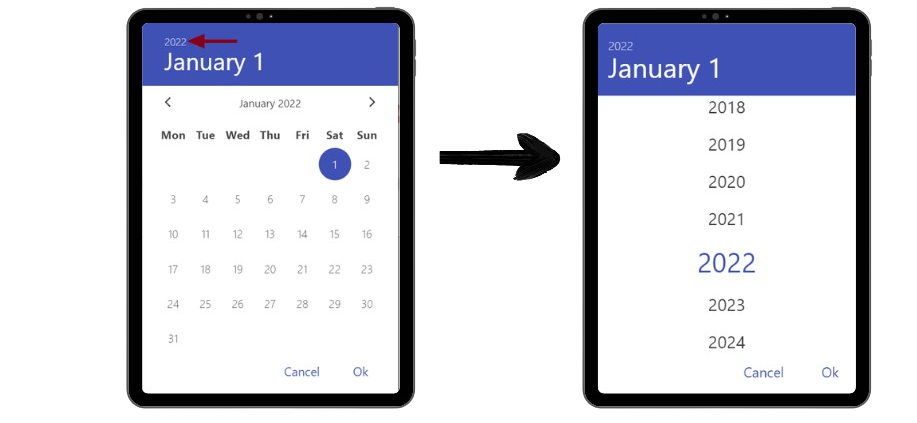
FireQ date picker the year
If you click on the month, a list of the months appears. Select the desired month and click OK.
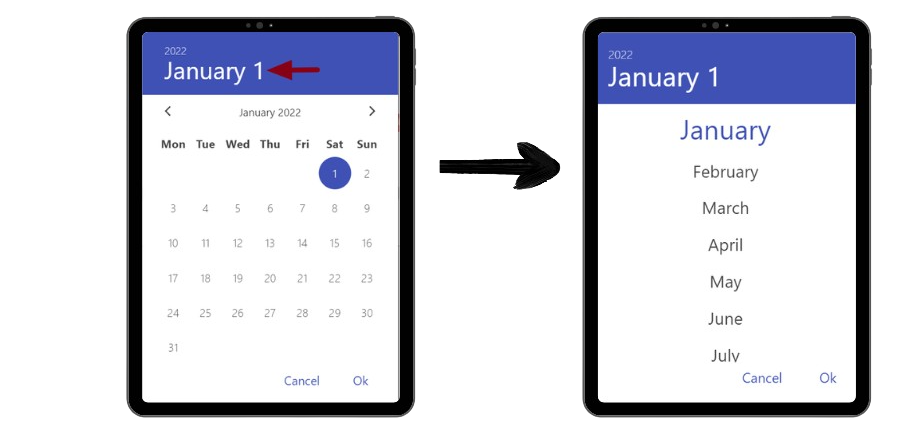
FireQ date picker the month